
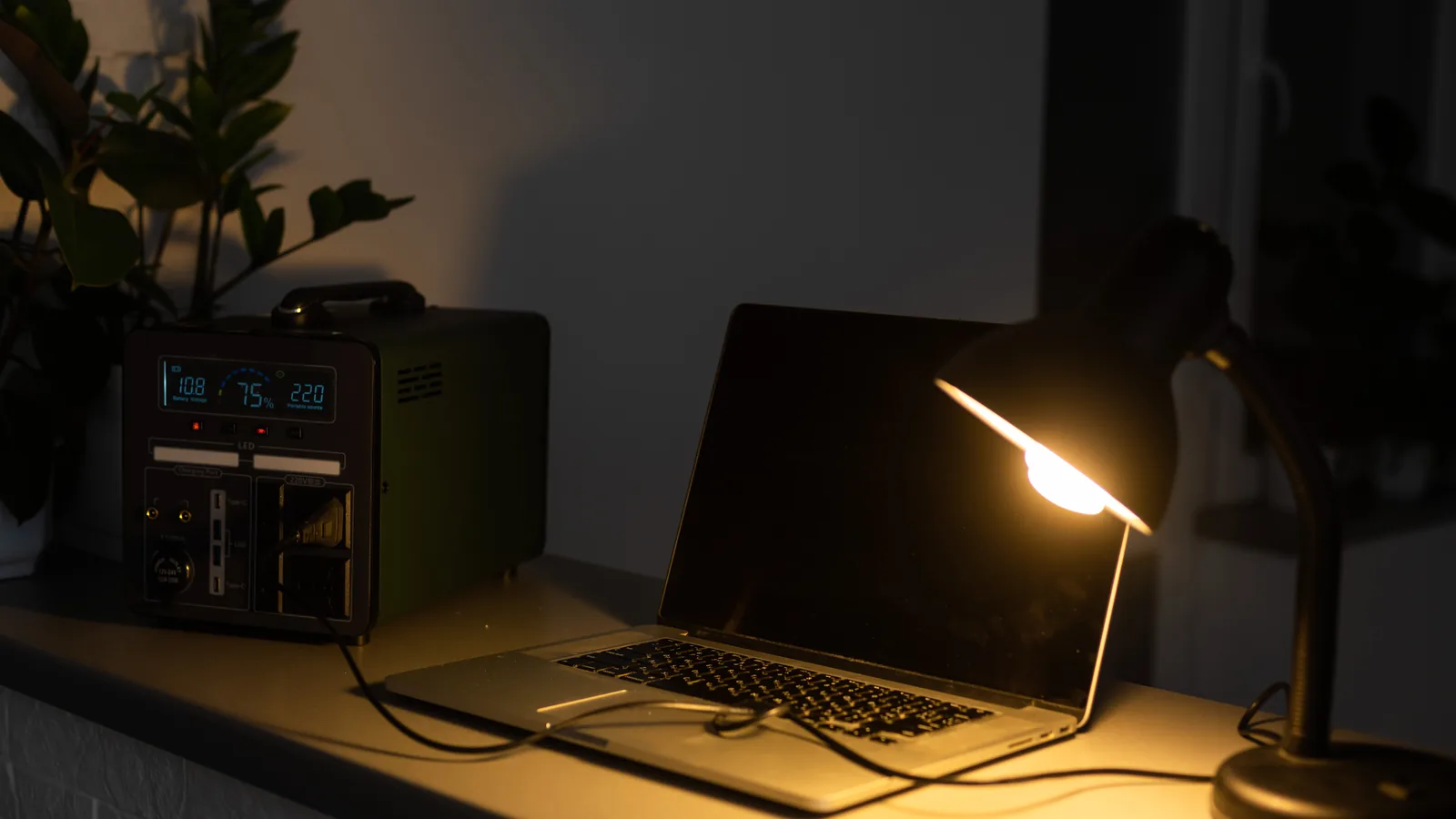
How do you fix a dripping tap, wire a plug, treat a burn or gut a fish? Most of us would search for it. In a long power cut or internet outage, that stops working, and so does this website. One answer is to keep some of that knowledge at home, offline, on a small computer that can run from a battery.
This is a weekend project, not a doomsday bunker. It’s useful on an ordinary Tuesday too. It’s also honest about its limits: an offline AI can be confidently wrong, so it sits alongside a proper reference library and a few printed books, not instead of them.
Why bother?
We rely on search for almost everything. In a short power cut, your phone keeps going for a while. In a longer one, things get patchy.
- Home broadband stops as soon as your router loses power, unless you have back-up for it.
- Mobile data may not last. There’s no fixed minimum for how long UK mobile masts must run on back-up power. Ofcom updated its guidance for networks in June 2026, but it chose not to set a number of hours. Some masts have batteries. Others may go quiet soon after the power does, especially in a wide-area cut.
- Websites need power too. Even if you have signal, the sites you want may be slow or down.
Battery-powered things still work. That’s the whole idea here: put useful knowledge on a device you can run from a battery.
Two parts, one small box
- An offline AI assistant. You type a question in plain English and get an answer. It runs on the computer itself. No internet, no account.
- An offline library you can trust. An encyclopaedia, repair guides, medical references and maps, stored on the same computer. This is what you check the AI’s answers against.
Both are free. You download everything while you still have internet, then it works without it.
The hardware: a low-power mini PC
A mini PC is a computer about the size of a paperback. Many use very little power, which matters when you’re running from a battery.
- Budget option: an Intel N100-class mini PC (the N100, N150 and similar chips). These are cheap, quiet and frugal. Independent tests usually measure them at around 5 to 10 watts when idle. One owner who logged theirs for three months saw an average of about 7 watts and a peak of about 25 watts.
- Faster option: an AMD Ryzen mini PC. These run the AI part much more quickly, but draw more power when working hard. Check the reviews for real idle and load figures before you buy.
- Memory (RAM): aim for 16 GB. This is the most important number for the AI. 8 GB will run small models, but only just. 16 GB is comfortable for the sizes we suggest below. 32 GB gives room for larger models if your computer is fast enough to use them.
- Storage: a 1 TB SSD is a sensible size. The full English Wikipedia with pictures is over 100 GB on its own.
- A screen, keyboard and mouse. Any old monitor will do. Or use a laptop you already own; that has a screen and battery built in.
What about a Raspberry Pi? A Raspberry Pi is excellent for the library part. Kiwix offers a ready-made version for it, and it sips power. But it’s slow for the AI part, so we’d use a mini PC or laptop for that.
See the kit we recommend for ideas.
Powering it in a power cut
This is where a low-power machine pays off.
- Portable power station. This is a big rechargeable battery with normal sockets and USB ports. Here’s a rough sum: if your mini PC and a small screen average around 20 watts, a 500 Wh power station could run them for something like 20 hours. That’s before losses, so allow less. Turn the screen off when you’re not using it.
- USB-C power, if your mini PC supports it. Some mini PCs can run from a USB-C power supply. Plugging into the power station’s USB-C port skips the mains inverter, which wastes some energy. Check your model’s manual first.
- 12V and solar. A small folding solar panel can top up a power station during the day, even in a UK winter, just more slowly. If you’re comfortable with 12V leisure batteries, some mini PCs can run from them through the right DC converter. Check the voltage your power brick supplies before connecting anything.
If you have solar panels on the roof, read why they usually switch off in a power cut, and how island mode can help.
The offline AI
A few free programs let you run an AI model on your own computer. Once a model is downloaded, they work without internet.
- LM Studio is the friendliest. It looks like a normal app, with a chat window and a built-in model search. Good for beginners.
- Ollama is simple and popular. You install it, download a model with one command, and chat. Many other apps can use it behind the scenes.
- llama.cpp is the engine that many of these tools are built on. It’s more technical, but it’s often the fastest on low-power chips.
Which model? Models are described by size, in billions of “parameters” (written as 3B, 8B and so on). Bigger is usually smarter but slower and hungrier for memory. On a 16 GB mini PC, a good range is:
- 3B to 4B models for quick answers on an N100-class machine.
- 7B to 8B models for better answers, if you can wait. On an N100 these are slow, often just a few words a second. A Ryzen mini PC is noticeably quicker.
Look for well-known open model families such as Llama, Qwen, Gemma, Mistral and Phi. New versions arrive often, so pick a recent one. LM Studio and Ollama both show a model’s size before you download it. Check the licence if you plan to use it for anything beyond personal use.


The offline library
This is the part you can trust more, because it’s written and checked by people, not generated on the spot.
- Kiwix is free software that reads offline copies of websites. You download “packs”, each a single file, and open them in the Kiwix app or a web browser.
- Wikipedia in English comes in three sizes. Recent versions are around 119 GB with pictures, around 49 GB without pictures, and around 13 GB for a “mini” version with just the start of each article.
- Repair guides. The iFixit pack (about 3.5 GB) covers fixing all sorts of household items and gadgets. WikiHow packs have been offered in the past but weren’t in the Kiwix library when we checked, so look again when you set up.
- Health information. There are smaller medical packs too, including the NHS Medicines A to Z. Browse the Kiwix library for what suits you.
- Internet-in-a-Box is a free, all-in-one option that bundles Kiwix, maps and more, and shares them over Wi-Fi to phones in the house. It’s popular on the Raspberry Pi.
- Offline maps. Apps such as Organic Maps or OsmAnd let you download maps of your area to your phone, so they work without signal.
- Your own PDFs. Save a first aid guide, your boiler and appliance manuals, and our 3-day checklist and power cut guide. Keep them in one clearly named folder.
Ask it, then check it
Say you want to know how to keep the freezer cold in a long power cut, or fix a dripping tap.
- Ask the AI in plain English. It’s good at explaining steps and answering follow-up questions.
- Check the answer in the library. Look up the same topic in Wikipedia or iFixit. If they disagree, trust the library.
- Be extra careful with anything risky. Food safety, medicines, water treatment, electrics and gas are not topics for guesswork.
Safety: what the AI must not be used for
- AI can be confidently wrong. It can invent facts, numbers and steps, and sound completely sure about them. Always check important answers against the library or a printed book.
- Medical emergencies: call 999. For urgent advice that isn’t an emergency, call NHS 111. If your usual mobile network has no signal, a 999 call will try to connect through another network if one is available. Don’t let an AI chat delay a call for help.
- Mains electrics. In England and Wales, all electrical work in homes must meet Part P of the Building Regulations. Bigger jobs, such as a new circuit or a new consumer unit (fuse box), are “notifiable”. The simplest way to comply is to use a registered electrician who can certify the work. Otherwise you must tell building control before you start. Scotland and Northern Ireland have their own rules, so check locally. If you’re unsure, don’t do it yourself.
- Gas: only a Gas Safe registered engineer should work on gas appliances, pipes or boilers. It’s the law. If you smell gas, call the National Gas Emergency Service on 0800 111 999 (in Northern Ireland, 0800 002 001).
Set it up in an afternoon
- Get the hardware. A mini PC with 16 GB RAM and a 1 TB SSD, or a laptop you already have.
- Install LM Studio or Ollama from its official website.
- Download two AI models: one small (3B to 4B) and one medium (7B to 8B).
- Install Kiwix from kiwix.org.
- Download your library packs: Wikipedia (choose the size that fits your drive), iFixit, and any medical packs you want. The big Wikipedia file can take hours, so start it first.
- Save your PDFs: first aid guide, appliance manuals and our checklist.
- Download offline maps for your area on each phone.
- Pull the network cable or turn off Wi-Fi, and test everything. Ask the AI a question. Open a Wikipedia page. If it all works offline, you’re done.
- Test it on battery from your power station, and note roughly how long it lasts.
Keep it ready
- Update every few months. Refresh your library packs and check for newer AI models. Delete old versions to free space.
- Keep the power station charged, and top it up every couple of months.
- Write a “how to start it” card and keep it with the computer. In a power cut, the person who set it up might not be home.
A few printed books still win
Paper needs no battery, never crashes and works by torchlight. Keep a small shelf of:
- A good first aid manual
- A basic DIY and home repair book
- A paper map of your local area
- A printed list of key numbers, including 105 for power cuts
The offline computer is a bonus. The books are the backbone.
Work through everything in our 3-day checklist, see the kit we recommend, and read our guide to being power cut ready.
In an emergency, call 999. For urgent medical advice, call NHS 111. To report a power cut, call 105.